◫
Per-app profiles
Assign independent color settings to games and other Windows applications.
Automatic NVIDIA color profiles for Windows — tailored to every game, app, and monitor. Set your colors once, and let NvProfileSwitcher handle the rest.
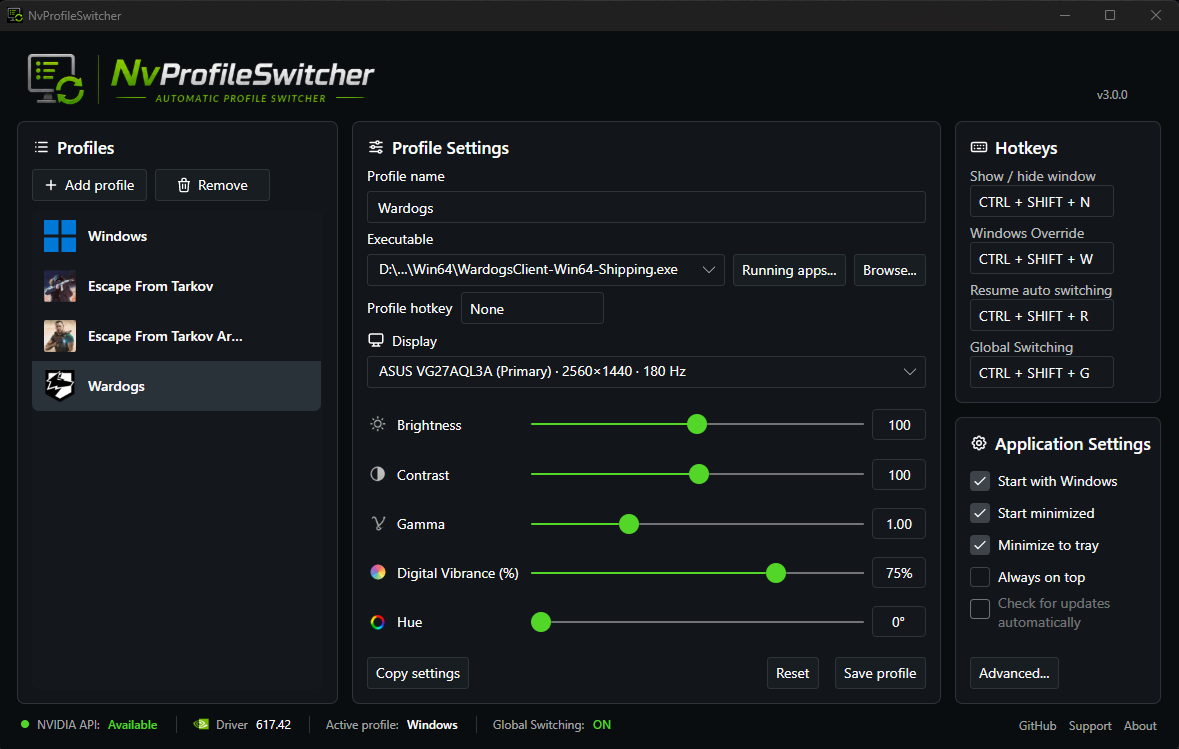
Actual application screenshot from the official NvProfileSwitcher repository.
Customize your display once and switch effortlessly.
Assign independent color settings to games and other Windows applications.
Activate the right profile when its application comes to the foreground.
Fine-tune brightness, contrast, gamma, Digital Vibrance, and hue for each display.
Manually select a profile or return to automatic switching whenever you like.
Create profiles for different games or apps, choose their executables, and adjust colors independently for each connected monitor.
Live Preview lets you see your adjustments immediately, before saving the profile.
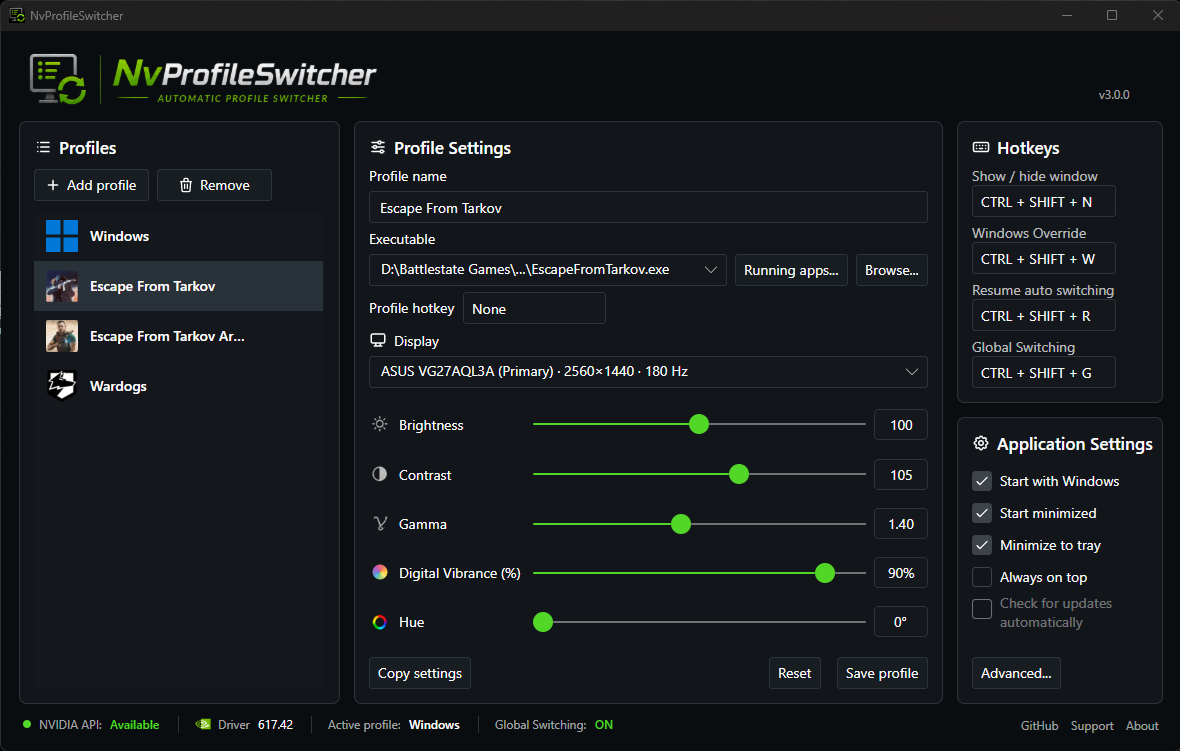
Configure your profiles once. NvProfileSwitcher handles the switching.
Choose a game or application and associate its executable with a profile.
Adjust Digital Vibrance, hue, brightness, contrast and gamma for each display, with Live Preview.
Bring the application to the foreground to activate its profile. Switch away and the appropriate profile returns.
Real screenshots from the official project repository.
Free and open source. Windows 10 or 11 (x64), compatible NVIDIA GPU.
Standard Windows installation and uninstallation.
Download installer ↓Extract and run without a traditional installation.
Download portable ZIP ↓Both editions are available on the official GitHub Releases page. No separate .NET runtime installation required.
Code signing is planned through SignPath Foundation, subject to approval. Current downloads should not be assumed to be digitally signed. See the code signing policy.
Get the official Windows installer or portable build from GitHub Releases.
Independent project, not affiliated with or endorsed by NVIDIA Corporation. Licensed under GPLv3.